Last Seen at Harbor Point
The police called it an accident. Her phone says otherwise.
Free
 Recently Deleted
Case 1 is free
A found-phone mystery for iPhone. Dig through a stranger's messages, photos and Recently Deleted, then name who did it.
Help and questions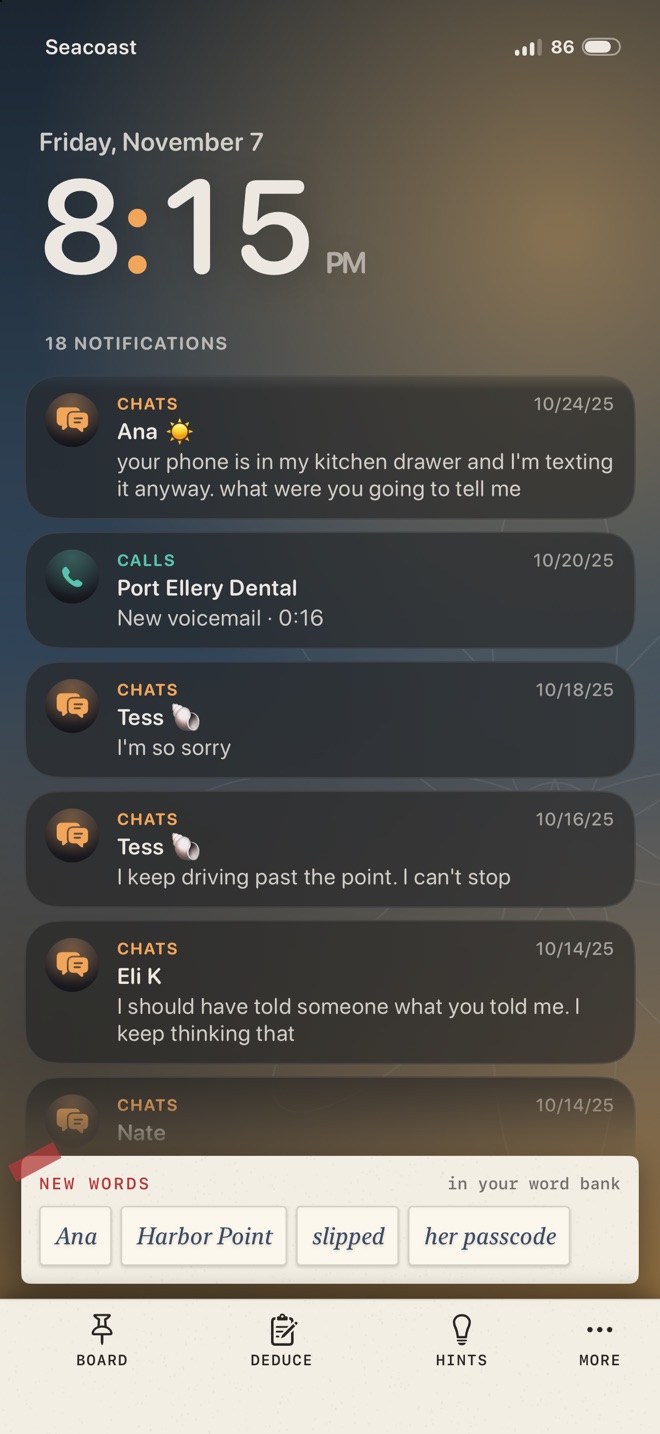
The family hands you the phone and its passcode. Everything on it is evidence, and some of it was deleted on purpose.
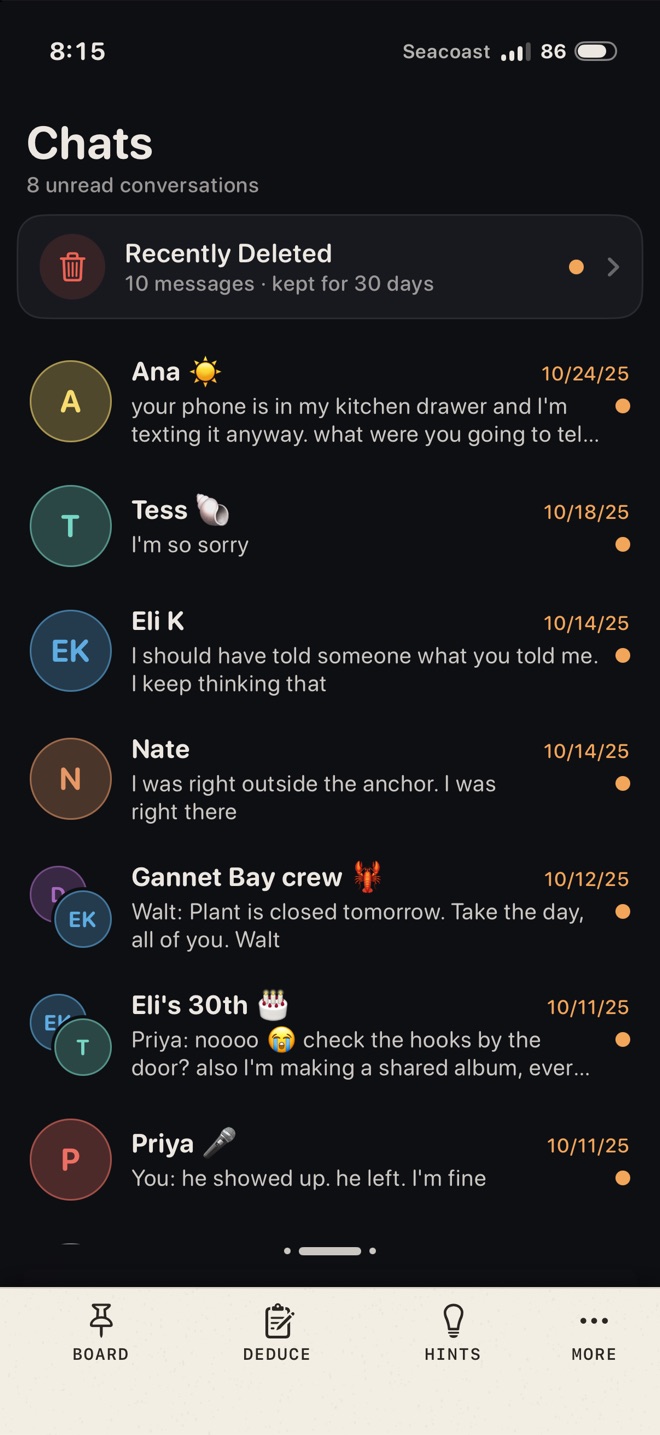
Chats, Gallery, Notes, Mail, Agenda, Calls and voicemail, Places, the bank app and Web. Reading something hands you its clue words.
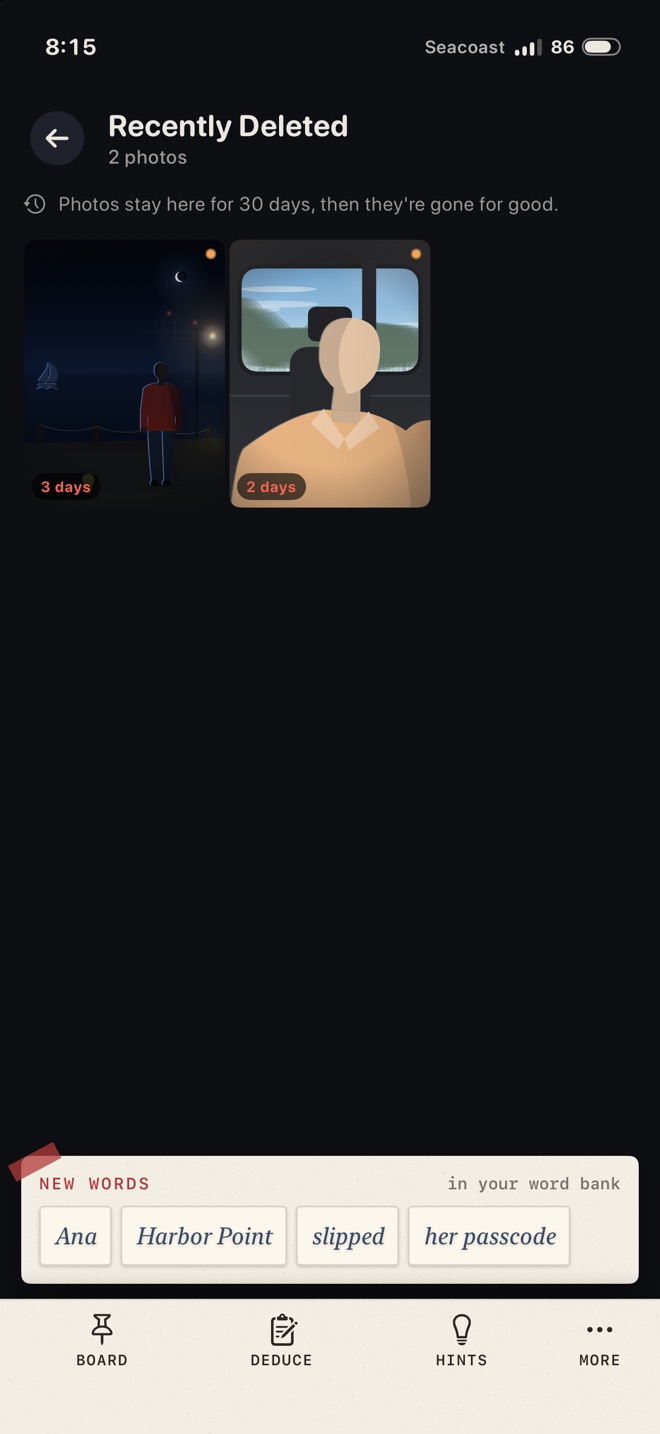
Deleted photos and messages wait in Recently Deleted. Some notes, albums and apps are locked, and their codes are hidden elsewhere on the phone.
Each chapter is a page of statements with blanks. Fill them from your word bank and check. If one or two are wrong, it says so, but never which.
The last page names who did it and how. Then you get the whole story, and a spoiler-free card to share.
Every case is a complete mystery in six chapters, about 45 to 60 minutes. Play it in one sitting or come back to it; your progress saves as you go.
The police called it an accident. Her phone says otherwise.
Her phone got to the overlook almost three hours after she did.
He fell asleep by the heater, they said. His bags were in the car.
Cases 2 to 5: the two out now and two still being written, which unlock the day they're released.
One-time purchases in US dollars; the App Store shows your local price. Shared with your Family Sharing group.
Case 1 is a whole case, not a demo. Later cases are one-time purchases, and nothing ever waits on a timer.
Each case is checked by a tool that catches dates that contradict each other, messages sent after someone died and codes you can't find. Every answer can be worked out from what you've read.
No AI images or voices. Photos are illustrated, voicemails are transcripts, and every line is written and edited by hand.
A nudge, then a pointer to the right item, then the answer. Hints only show up on your case report at the end.
Write to idanr391@gmail.com. A real person reads every message, including reports of a clue that seems wrong.
In the briefing. When you open a case, the person who gives you the phone also gives you the code, and that line is marked with a red CODE clip. (In Case 1 it's 2419, and the first-case tour shows it on the lock screen too.)
Other locks inside the phone, like a note, an album or the bank app, have codes hidden in the evidence. If you're stuck on one, the Hints tab tells you where to look.
Tap Hints in the bar at the bottom of the screen. Each blank has three steps: a nudge, a pointer to the item you need (with a Show me button that takes you there), and the answer itself. Hints are free and unlimited. Each one is noted on your case report.
Case 1, Last Seen at Harbor Point, is free and complete. Case 2 and Case 3 are $3.99 each. The Season Pass is $9.99 and unlocks Cases 2 to 5, including the two that aren't out yet; they unlock on the day they're released. Every purchase is a one-time payment. There's no subscription and there are no ads.
Open Settings from the title screen and tap Restore purchases. It's also at the bottom of every unlock screen. Purchases belong to your Apple Account, so there's no separate account to create or sign in to.
Yes. Cases and the Season Pass are shared with your Family Sharing group. If a shared case doesn't unlock on a family member's phone right away, have them tap Restore purchases in Settings.
Open Settings, find the case under Saved cases and tap Reset. That erases everything you found, pinned and filled in for that case, on this iPhone and on your other devices that use the same iCloud account. Your purchases stay.
Yes. Your cases are saved on your iPhone and in your own iCloud account, so they follow you to any iPhone signed in to the same Apple Account with iCloud turned on. The developer never sees your saves.
Not to play. The cases are inside the app, so they work offline. You need a connection to buy a case or restore purchases.
Apple handles all payments, so refunds go through Apple at reportaproblem.apple.com.
No. Every case, person, business and place is made up. The phone you investigate is fictional too: the game never looks at your own messages, photos, contacts or files.
The cases are about deaths and the crimes behind them, told through messages, notes, photos and voicemail transcripts. Nothing graphic is shown, but the stories are written for teens and adults.
Every photo has a VoiceOver description, text follows your Dynamic Type size, animations respect Reduce Motion, and haptics can be turned off in Settings. If something doesn't work for you, please write.